Advertise on Bizneset.al
Bizneset.al shows internal, clearly labelled ads to people looking for businesses, suppliers and partners in Albania, Kosovo and the diaspora. This page explains where they appear, what the rules are and how to request one.
Where banners appear
9 placements in total. The dashed area shows where the banner goes.
Home page
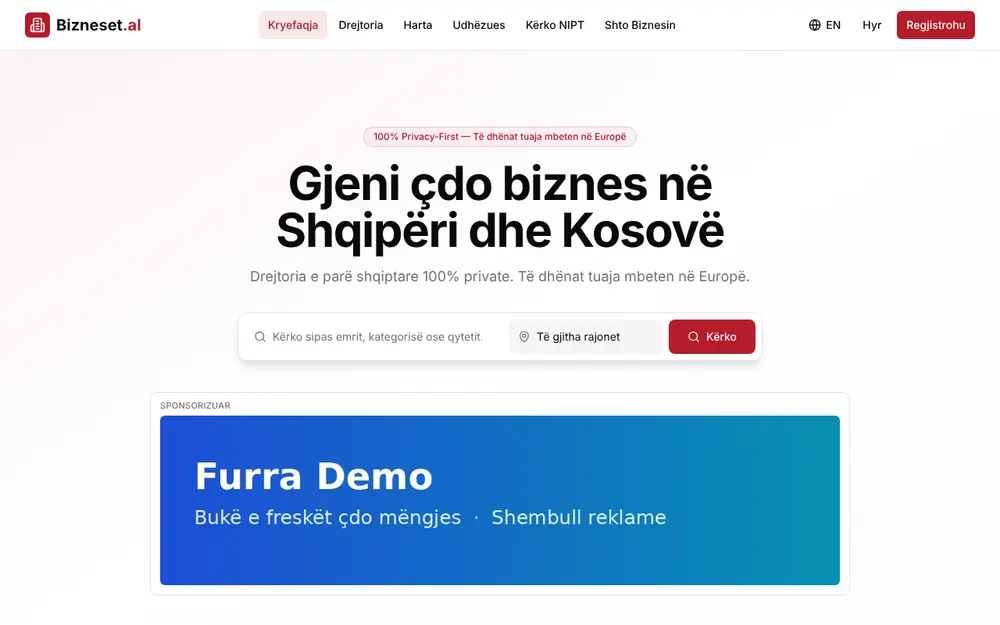
2 placements: below the search and in the middle of the page.
Directory, categories and cities
2 placements: at the top and after the first 6 results.
Business pages
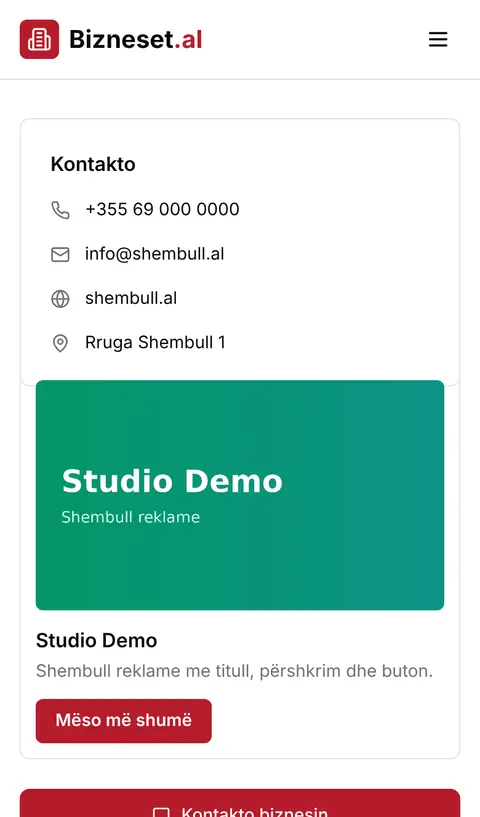
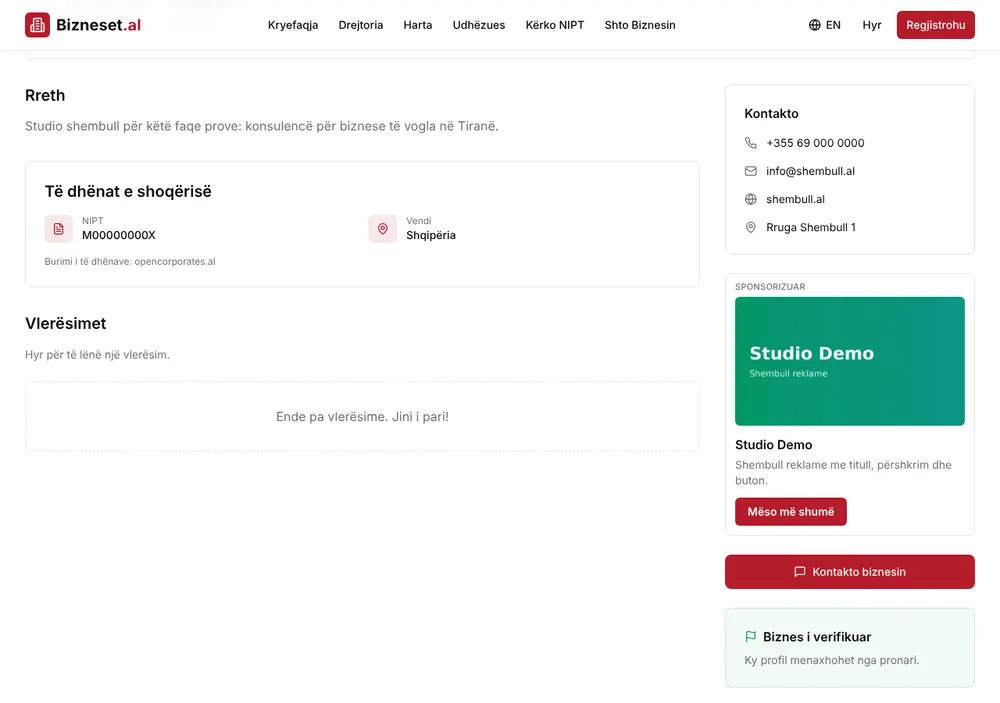
2 placements: below "Contact" and at the bottom of the page.
Guides, tools and dashboard
3 placements: guides, NIPT lookup and New businesses, owner dashboard.
What they look like
Screenshots from a test version of the site, with sample ads and businesses.
No cookies, no tracking
No third-party scripts. Visitors are not profiled.
Never on competitors
Not shown on claimed pages in the same sector.
Clear statistics
Views, clicks and CTR by day and placement.
Rules and limits
- Every ad carries the "Sponsored" label and its link is marked as sponsored.
- One ad per placement; when there are several campaigns, they rotate by weight.
- The space is reserved from the start: the page does not "jump" when the ad loads. Below the first screen the ad loads only as you get close.
- No cookies, no third-party scripts or pixels, no visitor tracking. Images and videos are served from our servers.
- Statistics are totals only: views (when at least half the ad is on screen), clicks and CTR, by day and by placement.
- The ad is never shown on the claimed page of a business in the same sector (a competitor).
- Available filters: country (Albania, Kosovo), counties or municipalities, categories, page language.
Formats
- WebP, PNG or JPG image up to 2 MB (stored as WebP).
- Animated GIF up to 2 MB (converted to animated WebP).
- MP4 video (H.264) up to 8 MB, muted, looping; optional poster. MOV files are not accepted.
- Without a title: a banner, e.g. 1200×300 px. With title, description and button (Albanian and English): a 16:9 image, e.g. 1280×720 px.
How to request it from your account
Log in or register
Use your Bizneset.al account. If you do not have one, registration is free and requires confirming your email.
Open the dashboard
Top right, "Dashboard" (on mobile, in the menu).
Choose "Advertise your business"
It is in the dashboard menu, below "Signals".
Fill in the request
The business (if you have a claimed page), where you want to appear, the period, the areas, the budget (optional) and a message.
Get the answer
We write to you by email within 2 working days. You can follow the status in "My advertising requests": New, Contacted, Closed.
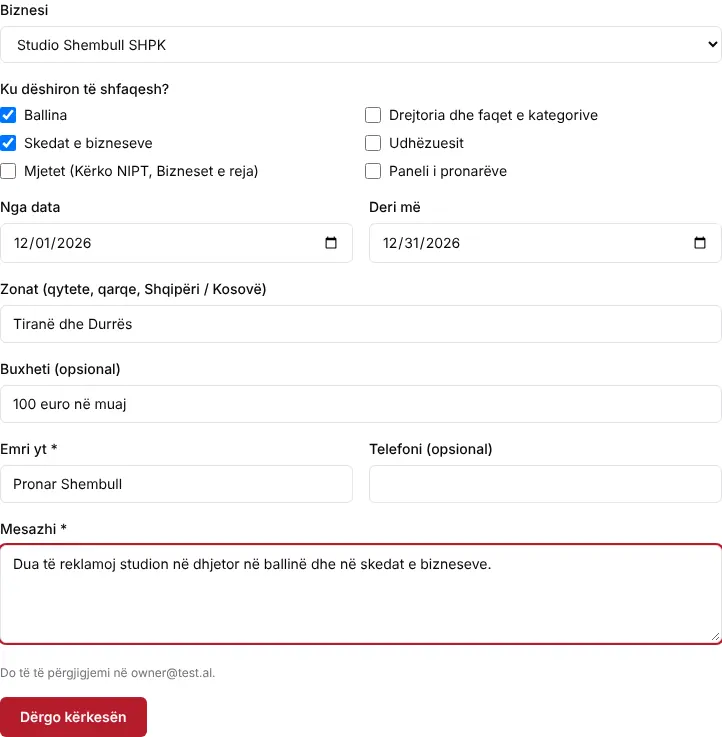
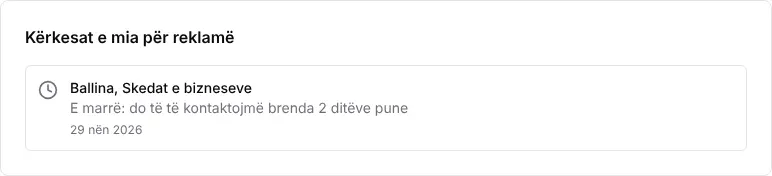
The request is sent from the dashboard, after logging in.